Pixel Forge Early Access — Pixel Art Editor & Mesh Animator
A downloadable tool for Windows
PIXEL FORGE EARLY ACCESS v0.2.0
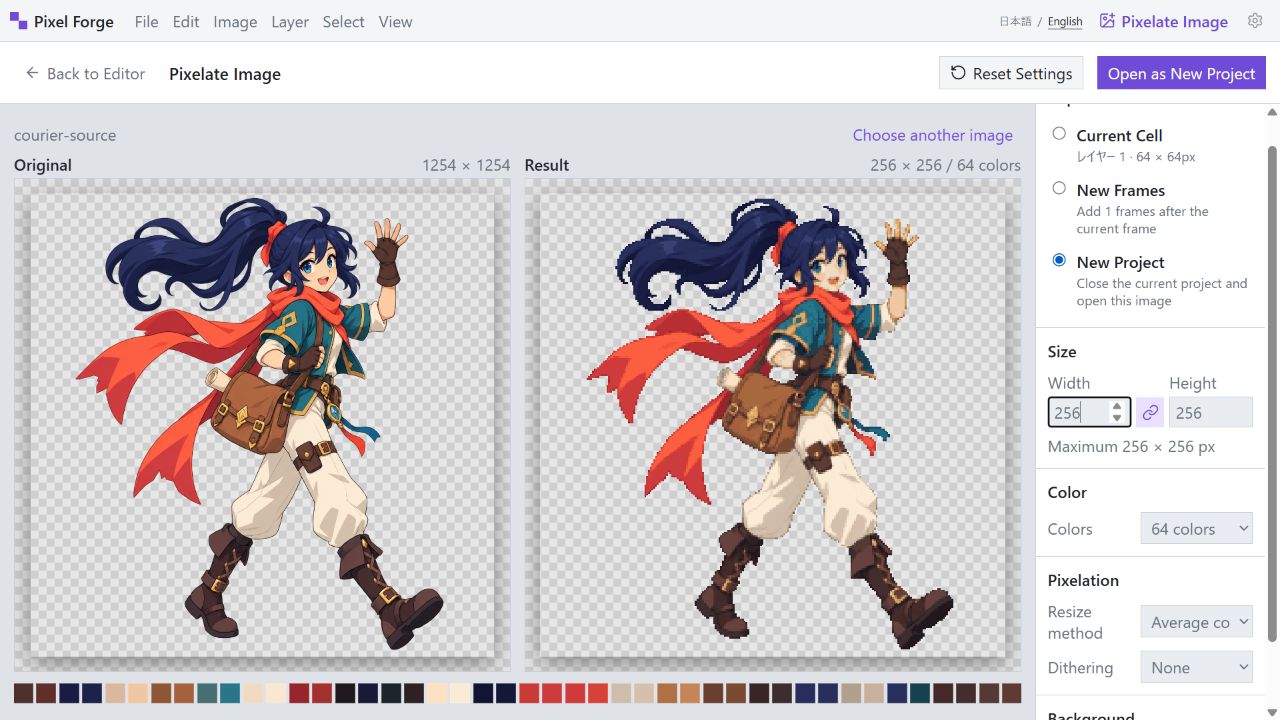
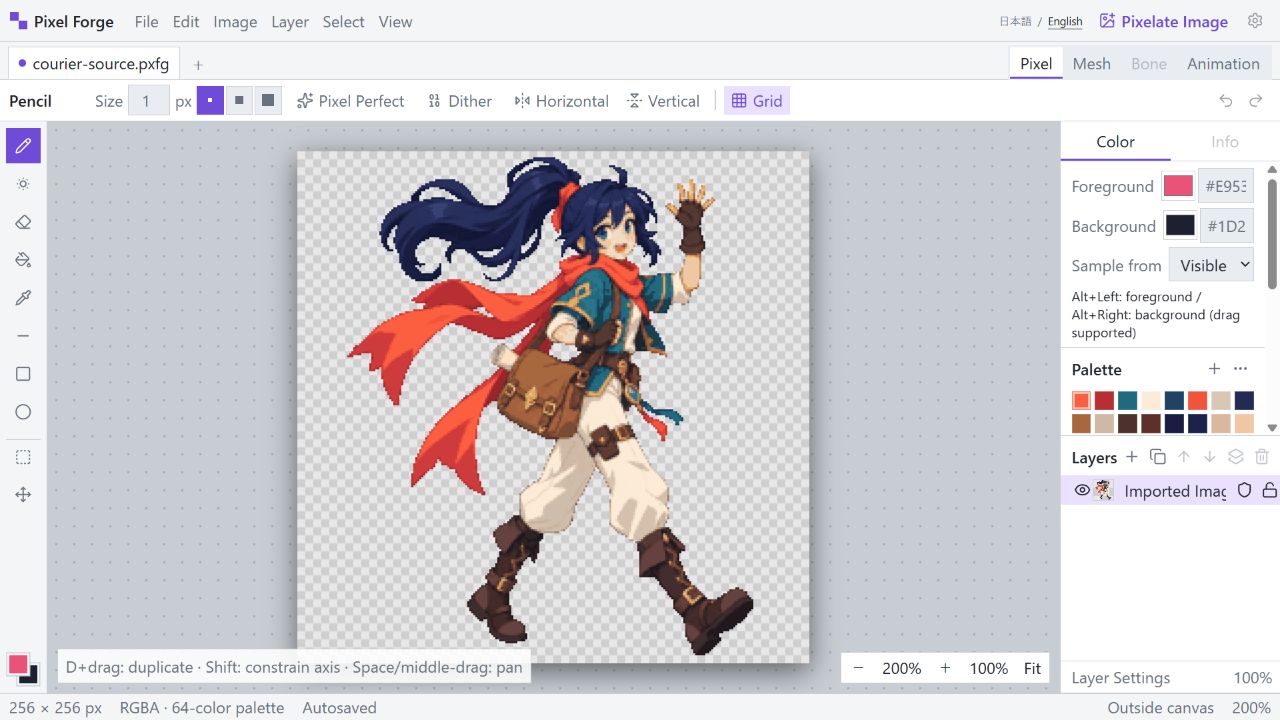
Turn source images into editable pixel art, isolate parts such as hair or arms, deform them with a high-quality mesh, animate frames, and export the result—all from one focused workspace.
Pixel Forge runs locally in your browser after download. No installation is required: extract the ZIP and open Pixel Forge.html in the latest Google Chrome or Microsoft Edge.
NEW IN v0.2.0
• Complete English and Japanese UI switching
• Automatic browser-language detection and saved language preference
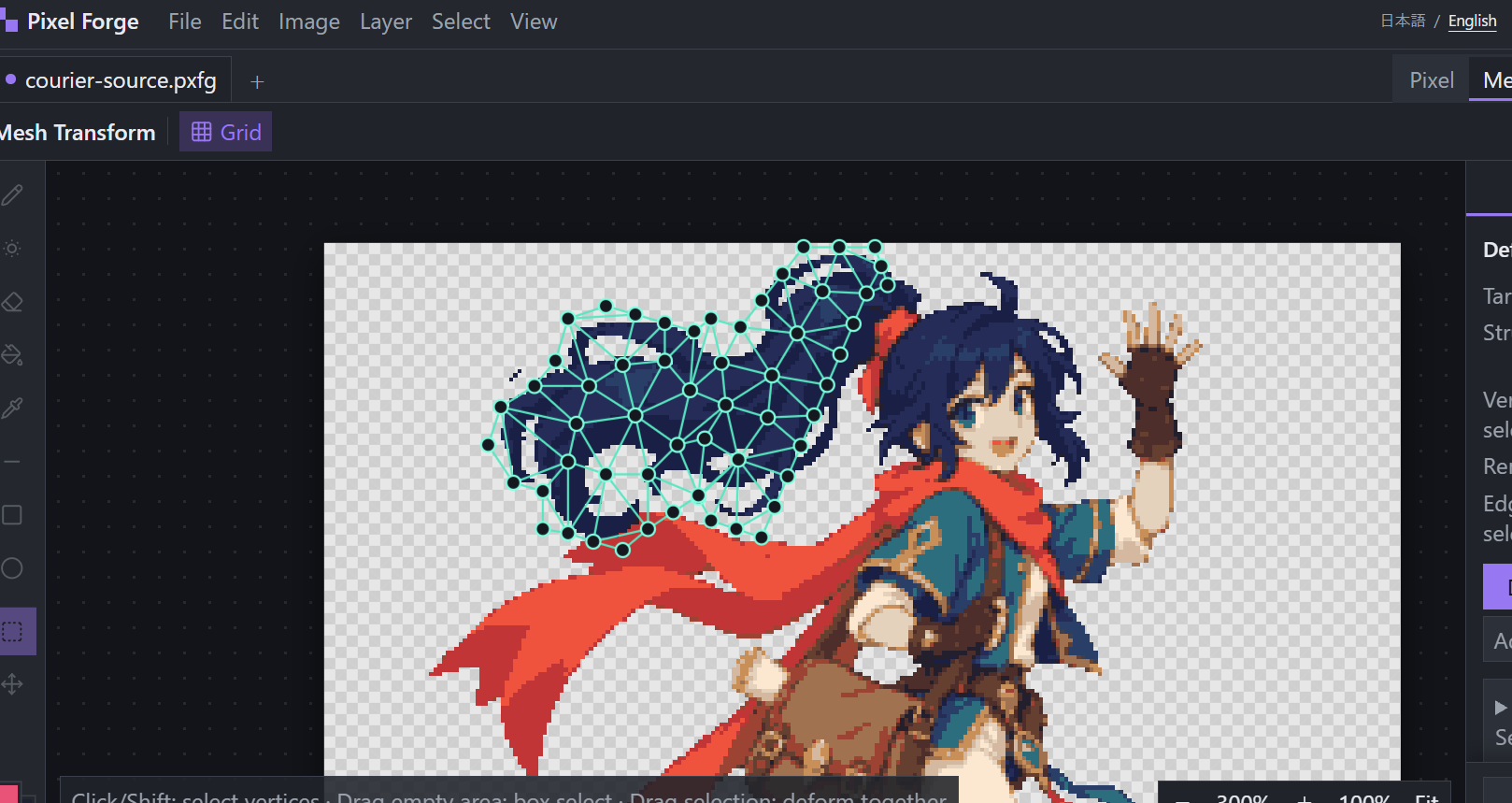
• Rebuilt automatic mesh generation with evenly distributed interior vertices
• Constrained Delaunay triangulation that better preserves silhouettes and transparent holes
• Higher-quality deformation of separate components and fine details
• Expanded localization and real-image mesh regression tests
MAIN FEATURES
• Resize imported images from 1 to 256 px and reduce palettes from 4 to 256 colors
• Average-color and nearest-neighbor downscaling
• Ordered and Floyd–Steinberg dithering
• PNG, JPEG, WebP, and animated GIF import
• Pencil, shading, eraser, fill, eyedropper, line, rectangle, and ellipse tools
• Layers, palettes, selections, transforms, undo, and redo
• Assisted part separation into editable layers
• Selective mesh deformation for hair, arms, clothing, and other parts
• Vertex editing, edge subdivision, rotation, scaling, soft selection, and fixed vertices
• Frame animation, per-frame timing, linked cells, and onion skinning
• PNG, animated GIF, and sprite-sheet export
• Versioned .pxfg project files, autosave, and crash recovery
LOCAL AND PRIVACY-FRIENDLY
Your source images and edits are processed locally inside Pixel Forge. Pixel Forge does not upload them to an external image-processing server.
LANGUAGE
The interface can be switched between English and 日本語 at any time. On first launch, Pixel Forge follows your browser language and remembers your choice.
EARLY ACCESS NOTES
• Maximum canvas size: 256×256 px
• Recommended environment: Windows PC with the latest Chrome or Edge
• Firefox, Safari, and mobile browsers are not currently supported
• APNG export and bone animation are not implemented
• Mesh deformation remains an early-access feature; save important work as .pxfg files regularly
• Purchasing grants access to the current build and future files uploaded to this page, but no fixed update schedule is promised
LICENSE SUMMARY
You may use artwork and animations you create with Pixel Forge for personal or commercial projects. Redistribution or resale of the application, product ZIP, modified application, or purchaser-only download URL is not permitted. See the included terms for details.
— 日本語 —
Pixel Forge βは、画像のドット化、ピクセル編集、レイヤー分け、髪や腕などの部分メッシュ変形、フレームアニメーション、PNG/GIF/スプライトシート書き出しを一つの画面で行える早期アクセス版エディターです。
v0.2.0では日本語/EnglishのUI切り替えと、均等な内部頂点配置・制約付きDelaunay分割を使う高品質なメッシュ自動生成を追加しました。
ZIPを展開し、最新版ChromeまたはEdgeで「Pixel Forge.html」を開くと起動します。画像や編集内容を外部の画像処理サーバーへ送信しません。
最大キャンバスは256×256pxです。APNG書き出しとボーン機能は未実装で、メッシュ変形は早期アクセス機能です。
Purchase
In order to download this tool you must purchase it at or above the minimum price of ¥1500 JPY. You will get access to the following files:
Development log
Leave a comment
Log in with itch.io to leave a comment.